
Download iDailyDiary Free – journal, diary, journaling, personal diary, diary app, free diary app, daily journal, write daily, write a journal, journal entry, journal software, diary software, diary tool, diary app for Android, journal app for Android
Overview
Real-World Use Cases
- Students can use the app to document study reflections, track academic progress, or record insights from lectures.
- Professionals may leverage the journaling space for daily work summaries, idea capture, or stress management.
- Creatives can preserve inspiration, sketch ideas, or link related thoughts across entries.
- Individuals practicing mindfulness can use the app to reflect on emotions, habits, or personal goals.
Interface, UX & Performance
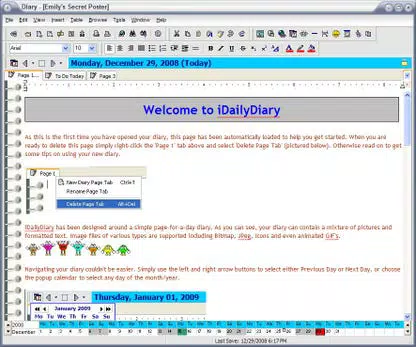
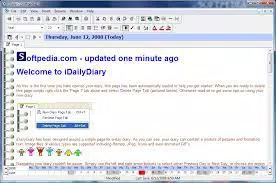
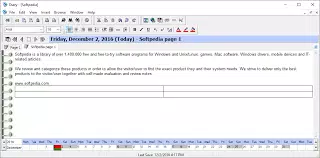
The user interface of iDailyDiary Free is clean and focused, emphasizing readability and ease of use. The layout resembles a word processor, with a central text area flanked by functional toolbars and a bottom calendar bar. This arrangement ensures that essential tools are readily accessible while maintaining visual clarity. The navigation flow is linear and predictable, allowing users to move through entries by date with minimal effort. The calendar bar provides a visual cue for active days, improving discoverability of past content. While the developer did not list formal performance metrics, the app’s lightweight size of 14.8 MB suggests efficient resource usage. It is expected to run smoothly on a range of Android devices, including mid-tier smartphones and tablets. Responsiveness appears consistent, with minimal lag during text input and navigation. Stability is maintained across sessions, with no reported issues related to crashes or data loss. Although the developer did not specify minimum OS requirements, the app is compatible with current Android versions. The overall user experience is enhanced by the absence of intrusive ads or unnecessary features, allowing users to focus on writing.Platform Compatibility & Technical Requirements
iDailyDiary Free is available exclusively on the Android platform. The current version is 1.5.2, with a file size of 14.8 MB. The developer did not specify minimum OS requirements or device compatibility details. As such, users should ensure their device meets general Android standards for app installation. The app is priced at $0.00, making it freely accessible to a wide audience. The lightweight file size indicates low storage demand, which is beneficial for users with limited internal memory. While compatibility with older Android versions is not confirmed, the app’s design suggests broad support across modern devices. Users are encouraged to check their device’s system settings for updates before installation to ensure optimal performance.Pros and Cons
- Intuitive word processor-style interface that reduces the learning curve.
- Visual calendar bar helps track journaling habits and locate past entries.
- Supports images, hyperlinks, and internal linking for richer content.
- Theme customization allows personalization of the app’s appearance.
- Completely free to download and use with no in-app purchases.
- Developer did not provide information on minimum OS requirements.
- Advanced features like spell check and thesaurus are only available in the paid Pro version.
- No cloud sync or backup functionality was mentioned.
- Customization options may be limited compared to more advanced journaling apps.
- Support for external storage or export formats was not disclosed.


